Tamil Keyboard on Mac: Add and Switch Input Sources
தமிழ் தட்டச்சு
Add Tamil in System Settings, then switch sources from the menu bar or keyboard.
Short answer
Open System Settings > Keyboard. Under Text Input, click Edit, click +, search for Tamil and add your preferred source. Select it in the Input menu. Control + Space returns to your last used source.
Choose Anjal, Tamil 99 or Transliteration
Apple lists three Tamil input sources: Tamil (Anjal), Tamil (Tamil 99) and Tamil (Transliteration). The picker may group the shorter layout names under Tamil. Choose Anjal if you already know Anjal’s phonetic key positions, Tamil 99 if you learned Tamil99, or Transliteration if you want to enter words using English letters.
A source’s name matters more than the Tamil language label alone. Anjal and Transliteration both relate English keys to Tamil sounds, but their rules and editing behaviour are not interchangeable. Add one to begin with, test it in a document, then add another if you want to compare.
Add a Tamil Input Source
- Open Apple menu > System Settings > Keyboard. Scroll the sidebar if Keyboard is not visible.
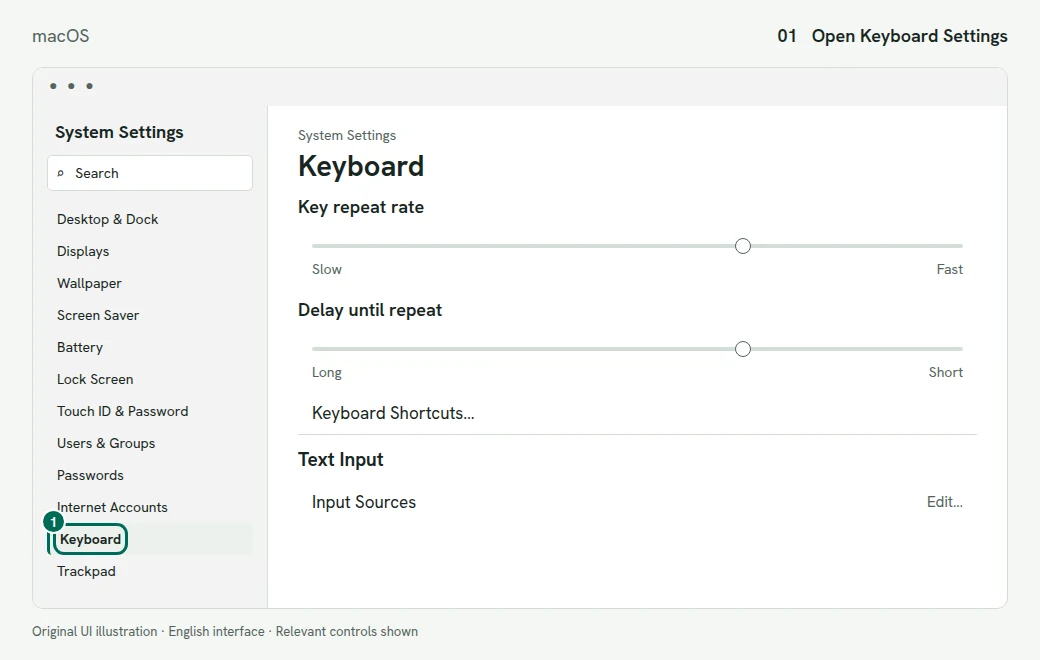
1. Find Keyboard in the System Settings sidebar. Illustration of the macOS screen - Under Text Input, click Edit.
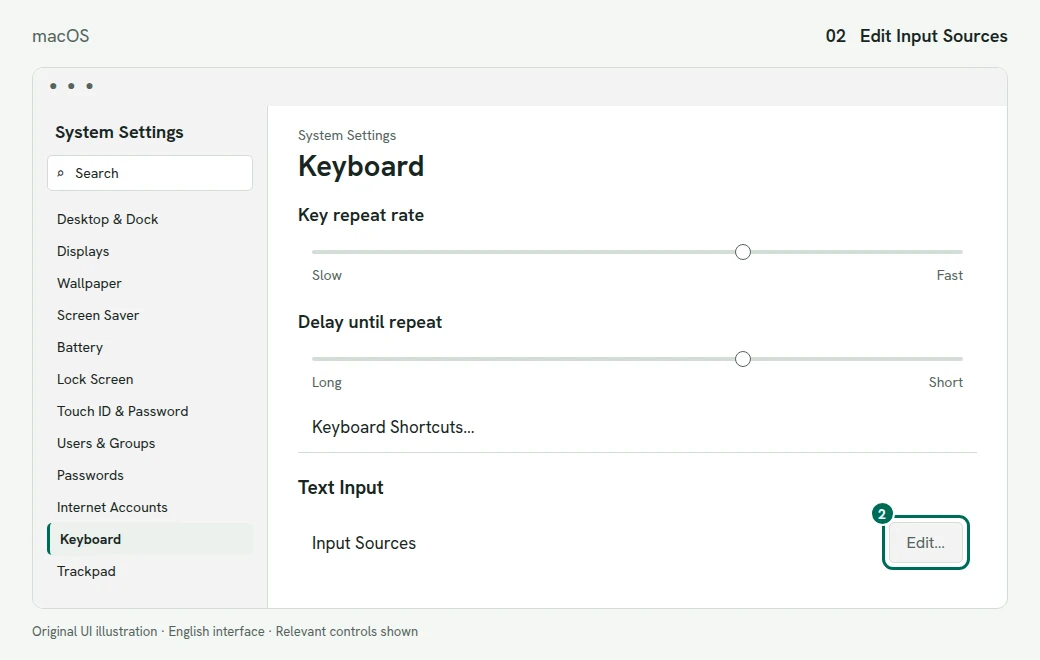
2. Select Edit beside Input Sources under Text Input. Illustration of the macOS screen - Click the add button (+) and search for Tamil.
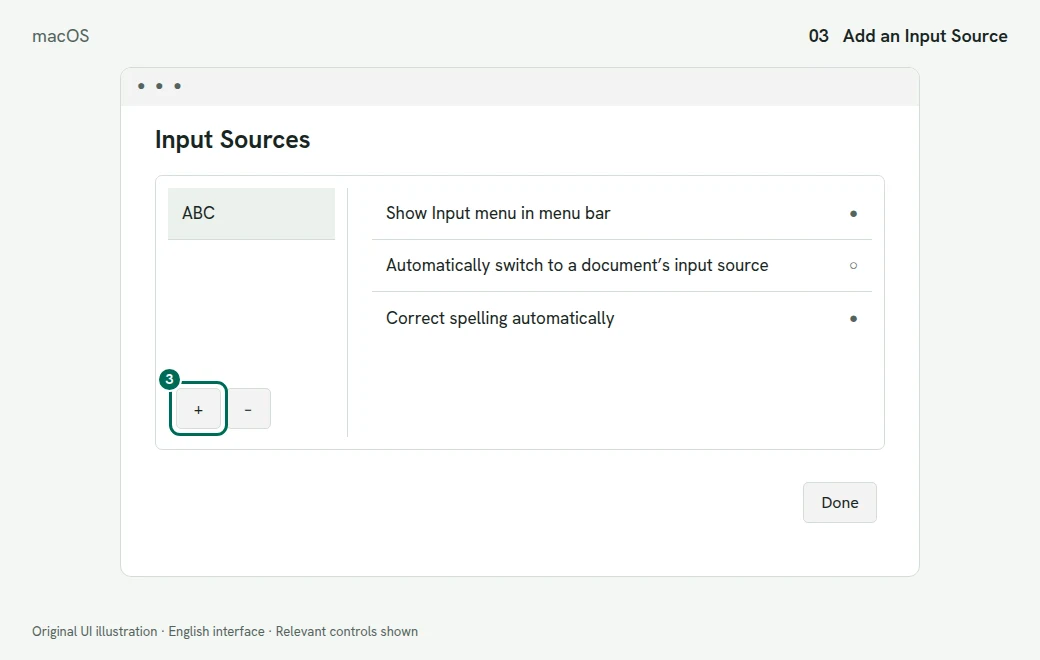
3. Use the add button below the source list. Illustration of the macOS screen - Select the Tamil input source or sources you want, then click Add.
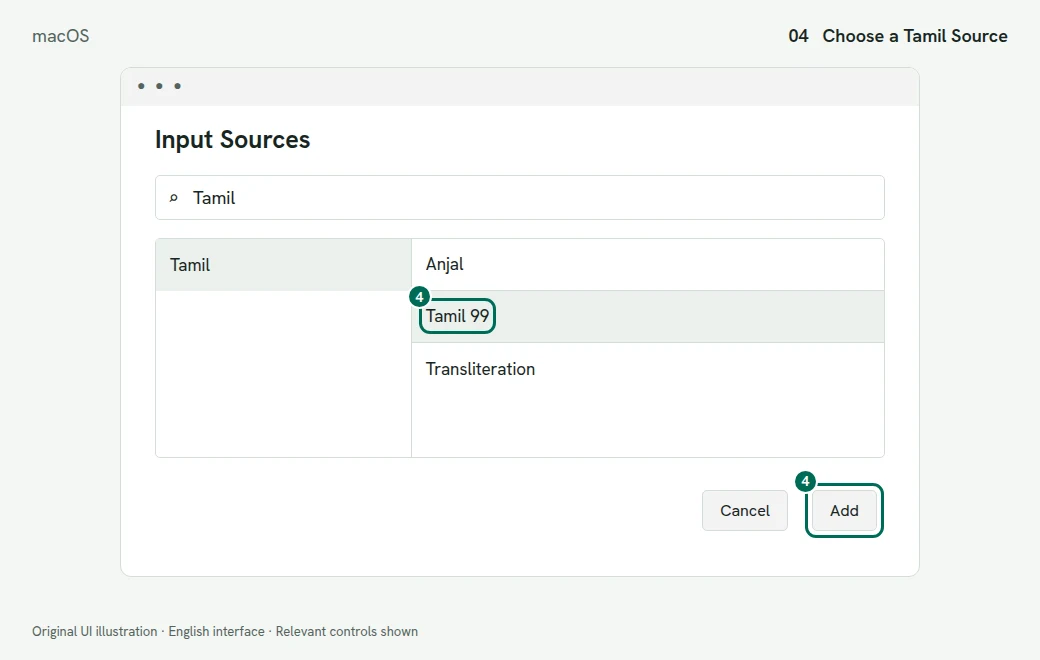
4. Search for Tamil and add your chosen source. Illustration of the macOS screen - Use the Input menu in the menu bar to select the new Tamil source before typing.
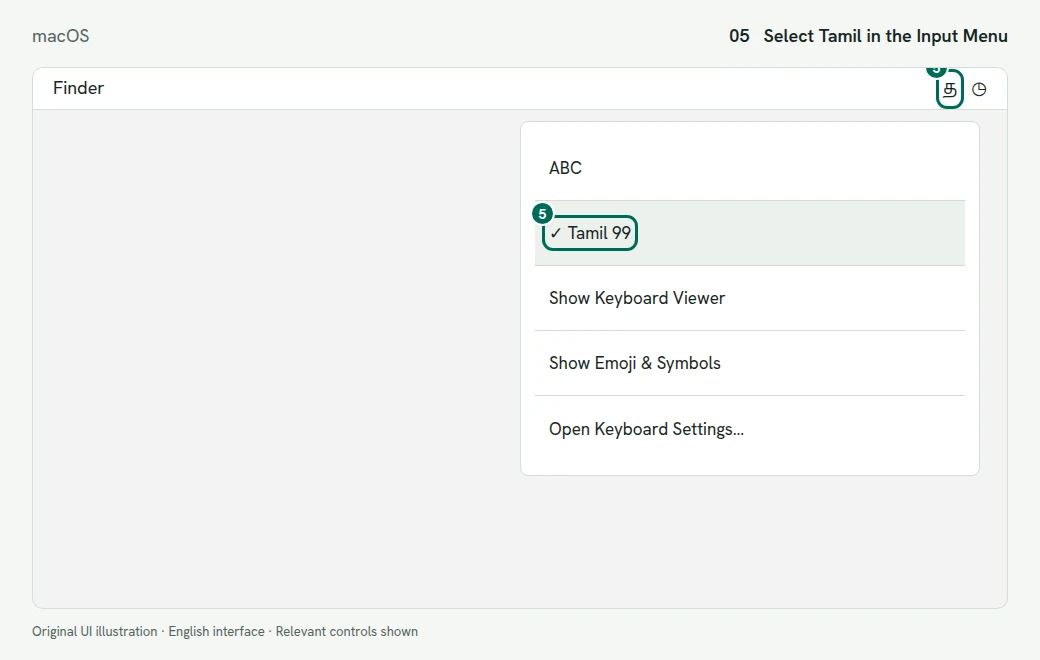
5. Select Tamil 99 from the menu bar. Illustration of the macOS screen
Switch Without Reopening Settings
Press Control + Space to return to the last input source you used. Press Control + Option + Space for the next source. Hold Control and press Space repeatedly to inspect the chooser. The Input menu is useful when you have more than two sources installed.
You can also set the Fn or Globe key to change input sources in Keyboard settings. These instructions are for System Settings; an older Mac using System Preferences has a different settings interface.
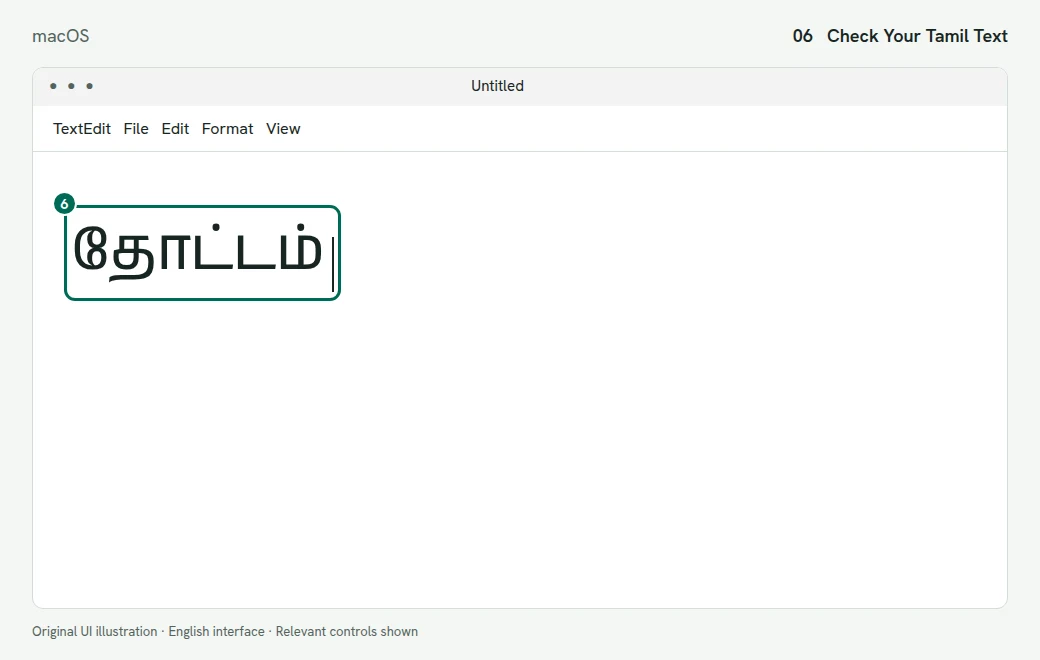
Check the Keys Before You Write
Tamil 99
Select Tamil 99, then choose Show Keyboard Viewer from the Input menu. Refer to the displayed keys while typing. Our online Tamil99 keyboard lets you practise the layout before changing an app’s input source. Keep macOS on English when using that online practice tool so it can read the expected physical keys.
Anjal
Choose Anjal if that is the phonetic layout you learned. Use Keyboard Viewer to inspect its current key assignments and Shift layer. The Anjal developer’s guide, linked below, explains the layout family. Do not follow an InScript chart or assume the keys match Tamil99.
Transliteration
Select Transliteration for English-letter entry. Test a short word and review the resulting Tamil before writing a long paragraph. Our online Tamil typing tool offers another English-letter workflow, with its own documented spelling rules. A spelling accepted by one engine is not a promise about another.
What About InScript?
Apple’s current Tamil language list names Anjal, Tamil 99 and Transliteration. It does not list a built-in Tamil InScript source. You can use our online InScript keyboard in the browser without installing a system input source.
Fix Mac Input Problems
Tamil Is Added but English Still Appears
Adding a source does not select it for your document. Click inside the document and check the Input menu. Choose the full Tamil source name. If you have several sources, Control + Space returns to the last one, which may not be the one you intended.
The Input Source Is Dimmed
Apple says a dimmed input source is unsupported by the current app. Test in another text-editing app. This helps separate an app limitation from a missing source.
Control + Space Does Not Switch
Use the Input menu first. Confirm that more than one source is installed. Review the Input Sources shortcuts under Keyboard > Keyboard Shortcuts if another app or a custom shortcut uses the same keys.
The Keyboard Viewer Shows the Wrong Layout
Select the source you want before opening Keyboard Viewer. The viewer follows the current source. A chart for Anjal cannot explain a document entered with Tamil 99.