Tamil OCR
படத்திலிருந்து தமிழ் உரை
Turn a photo, scan or PDF into editable Tamil text. Your file stays on your device.
More
Low confidence (below 80%). Select a word to find it in the editable text. These are suggestions, not a complete error check.
No file handy? Read a printed Tamil paragraph in one click. The first run downloads about 7 MB once (4.5 MB with the Fast model).
Read Tamil Text From an Image or PDF
Choose your source. Drop a screenshot or scan, choose a PDF, paste an image from the clipboard, or use Camera on your phone. The file name appears above the options. Selecting a file does not start recognition. To see how it works first, press Try a sample image, which loads our sample and reads it straight away.
Set the language and orientation. Tamil is the default. Choose Tamil + English for mixed pages. If the scan is sideways, select a clockwise rotation. The same rotation applies to every page of a PDF, so separate pages with different orientations first.
Press Read text. The first run downloads the recognition engine and the selected language model from this site, once: about 7.2 MB for Tamil with High Accuracy (the default), or 4.5 MB with Fast. Tamil + English adds 12.8 MB with High Accuracy or 2 MB with Fast, and your first PDF adds about 1.5 MB for the PDF reader. Your browser keeps these files, so later runs start much sooner. Progress shows loading and recognition separately. PDFs are processed one page at a time. Keep the tab open; a long document can take several minutes.
Review before you reuse. Edit the text directly. Highlighted words below the editor have low recognition confidence; click one to select its first matching occurrence. Check repeated words against the page number in the button’s tooltip. Copy the result or use More to download a text or Word file.
The output contains text, not a reproduction of the original page. Columns, tables, headings, pictures and page layout are not preserved in the downloaded Word document. Keep line breaks if the source is poetry or a list. Join Wrapped Lines combines adjacent lines while preserving blank lines and the gaps between PDF pages. Choose this option before recognition.
Accuracy You Can Check
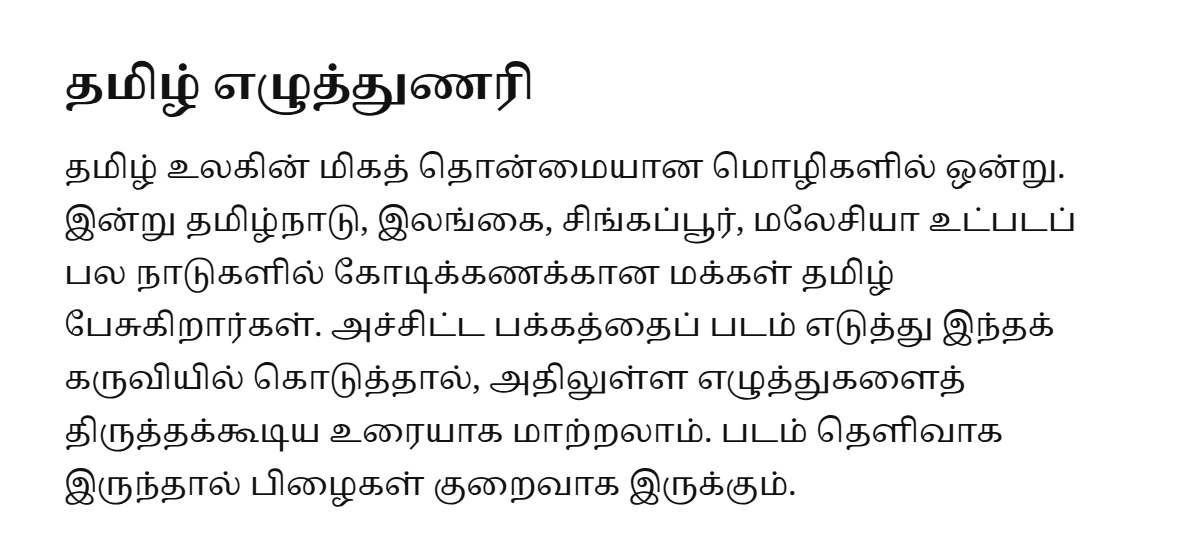
On four short synthetic Tamil images, the default High Accuracy model had 0% character error after Unicode cleanup (11.3% before cleanup); this tiny test does not predict accuracy on your scans.
High Accuracy is the default because it read our small test set more accurately; Fast is available for comparison. Both use Tesseract language models. The second model downloads only when you run recognition with it selected. Try both on a representative page before processing a long document. The name High Accuracy describes the model family, not a promise that it will read every image better.
The tool normalises Unicode vowel signs such as கொ into கொ and removes stray invisible joiners. It deliberately avoids automatic spelling changes. A confident error is still an error: check names, dates, amounts and unfamiliar words carefully. For essential records, compare the complete result with the scan, rather than reviewing only highlighted words.
Legacy-font text in a PDF can look like Tamil while copying as Latin characters. If you already have that extracted text, try the Tamil font converter first. OCR is useful when the page is an image or when ordinary copying cannot recover readable text.
Make the Original Easier to Read
Start with a flat, evenly lit page. Hold the camera parallel to the paper and avoid shadows, glare and motion blur. Crop out the desk and neighbouring pages before choosing the file. Keep a small clear margin around the text; a tight crop can cut off vowel signs. Scanning at about 300 dpi is a useful starting point recommended by Tesseract.
Use dark text on a light background. A sharp scan usually works better than a heavily compressed screenshot. For small text or uneven lighting, try Auto-Enhance. It enlarges small images, removes colour and compares each pixel with its neighbourhood to separate ink from paper. This can also erase thin strokes, so leave it off for clean originals and compare the results on difficult photos.
Printed Tamil is the intended input. Handwriting, highly decorative fonts, old palm-leaf scripts, curved book pages and damaged letters may produce little usable text. For multiple columns or dense tables, crop and recognise each region separately to control reading order. This tool cannot reconstruct a missing or illegible character reliably.
Questions People Ask
How do I turn a Tamil image or PDF into editable text?
Choose the file, open Recognition Options if you need to change them, then press Read text. Review the editable output against your original before copying or downloading it. You can also use the sample image first to see the workflow without selecting one of your own documents.
Are my photos or PDFs uploaded?
No, this tool reads the file in your browser and runs recognition on your device. The site supplies the engine and language data, but does not receive your document or recognised text. Reloading or closing the page clears the result, so copy or download important work before leaving.
Is there a file size or PDF page limit?
The tool sets no file-size or page-count cap, and processes PDF pages in order. Your device’s memory and available processing time still impose practical limits. Split a large document if the browser struggles, and download completed work before starting again. Cancel keeps the output from pages already completed.
Can Tamil OCR read handwriting?
Use this tool for printed Tamil rather than relying on it for handwriting. Handwritten notes, decorative lettering and damaged pages may need manual transcription. Compare a representative page before processing a whole notebook, and check every result against the original rather than treating readable-looking output as verified text.
Can I recognise Tamil and English together?
Yes, choose Tamil + English in Recognition Options before pressing Read text. This loads both language models for mixed-language pages. Choose Tamil alone for a Tamil-only source, and review names, numbers and English abbreviations in either mode before using the result in a letter, worksheet or office document.
Can I open HEIC or TIFF photos?
The tool tries your browser’s image decoder, so support depends on whether that browser can decode the selected file. If it cannot, export the photo as JPG or PNG and choose that copy. Keep the original image, and check that the exported version still has enough detail to read the print.
Why are some Tamil letters wrong even when the result looks readable?
Recognition can confuse similar printed shapes, and the cleanup does not know the word you intended. It composes supported split signs and removes stray joiners rather than proofreading your sentences. Compare names, numbers and every word with the image, including text that did not appear in Words to Check.
What do the Words to Check buttons mean?
They list recognised words whose confidence is below 80, not every possible mistake. Select a button to find its text in the editable result, then type the correction. Repeated words or earlier edits can affect which occurrence is found, so keep the original page visible while reviewing them.
What should I try when OCR finds no text or a sideways page reads badly?
Check the image’s orientation and try the appropriate Rotate Clockwise setting before reading it again. For a difficult photo, compare Auto-Enhance on and off; it is not a guarantee of better output. Use a clear, closely framed source, and copy or download existing edits before replacing the result.
Does Download DOCX preserve the original scanned page layout?
No, the Word download contains the recognised editable text rather than a reconstruction of the scanned page. Review its paragraphs and formatting yourself, especially tables and multi-column material. Use Download .txt for plain text, or Open in editor to continue correcting the words in the site’s Tamil editor.
Sources
Every fact on this page was checked against these official pages on . Products change often; if something here is out of date, tell us.
- Tesseract: Improving Image Quality, Resolution and Rotation tesseract-ocr.github.io
- Tesseract: Fast and Best Language Models tesseract-ocr.github.io
- Tesseract.js: Self-Hosted Workers and Language Data github.com
- Mozilla PDF.js: PDF Rendering in the Browser mozilla.github.io
- Unicode Standard: Tamil and Canonical Vowel Sign Composition unicode.org